A platform to enhance autonomous living for people with development disabilities through remote monitoring, smart notification, alert service, and smart devices integration.
Introduction
People living with developmental disabilities, such as Autism Spectrum Disorders, require support for many tasks and activities that people without disabilities would consider basic and second nature. Communication, monitoring and support from caregivers (family, friends, volunteer organizations, or a direct one-to-one interactions) are crucial to provide a safe and functional environment.
Individuals are already using technology to assist with their daily living, but it isn’t well integrated with their environment at home or when they are on the go and it is not connected to their caregivers in a meaningful way. In addition, people with diverse abilities are largely unheard in Canada’s housing system. As a result, there is little in the way of housing that is suitable and affordable. So...
'How might we support people with developmental disabilities to live independently by leveraging the power of technology?’
Role
Lead UX/UI Designer
Team of 4
Delivered over 6 months
Responsible for research, information architecture, and end-to-end design across all four applications
The Autonomous Living Project was featured on Cisco's Healthcare Now podcast, a 17-minute conversation about what it takes to build technology that genuinely serves people with developmental disabilities: have a listen!
Learnings
This project was a pivotal moment for me as a designer. I realized that I was only designing for someone who experienced the world like me. It opened my eyes to the endless opportunities on how to improve the quality of life for all users. I became a designer to make information accessible for all, and this project reminded me of my original goal.
I learned that physical, cognitive, and social exclusion is the result of mismatched interactions. As designers, it’s our responsibility to know how our designs affect these interactions and create mismatches. The technology industry can intervene positively in promoting a more inclusive world if we can just listen with empathy to the needs and embrace the challenge of going beyond the obvious to solve problems.
Other tid-bits of learnings:
Adapt your communication - every audience values something different.
Iterate as much as you can. I restarted this project twice before finding the right solution in terms of accessibility, inclusivity and usability.
Focus more on hand-offs to developers. Create a solid design system and use other resources to your advantage (loom).
Deeply understand the product you are designing.
It’s so important to talk about the why behind everything you create.
If you're presenting multiple directions, be sure to also present a preference as part of your work.
Design is never done - embrace ambiguity, continue to be curious, ask insightful questions, and push for new ideas.
TLDR
A platform to enhance autonomous living for people with development disabilities through remote monitoring, smart notification, alert service, and smart devices integration. Users have the ability to view their tasks and routines, access emergency support and welfare checks, track their daily mood, and call friends and family using Webex technology, anywhere and anytime.
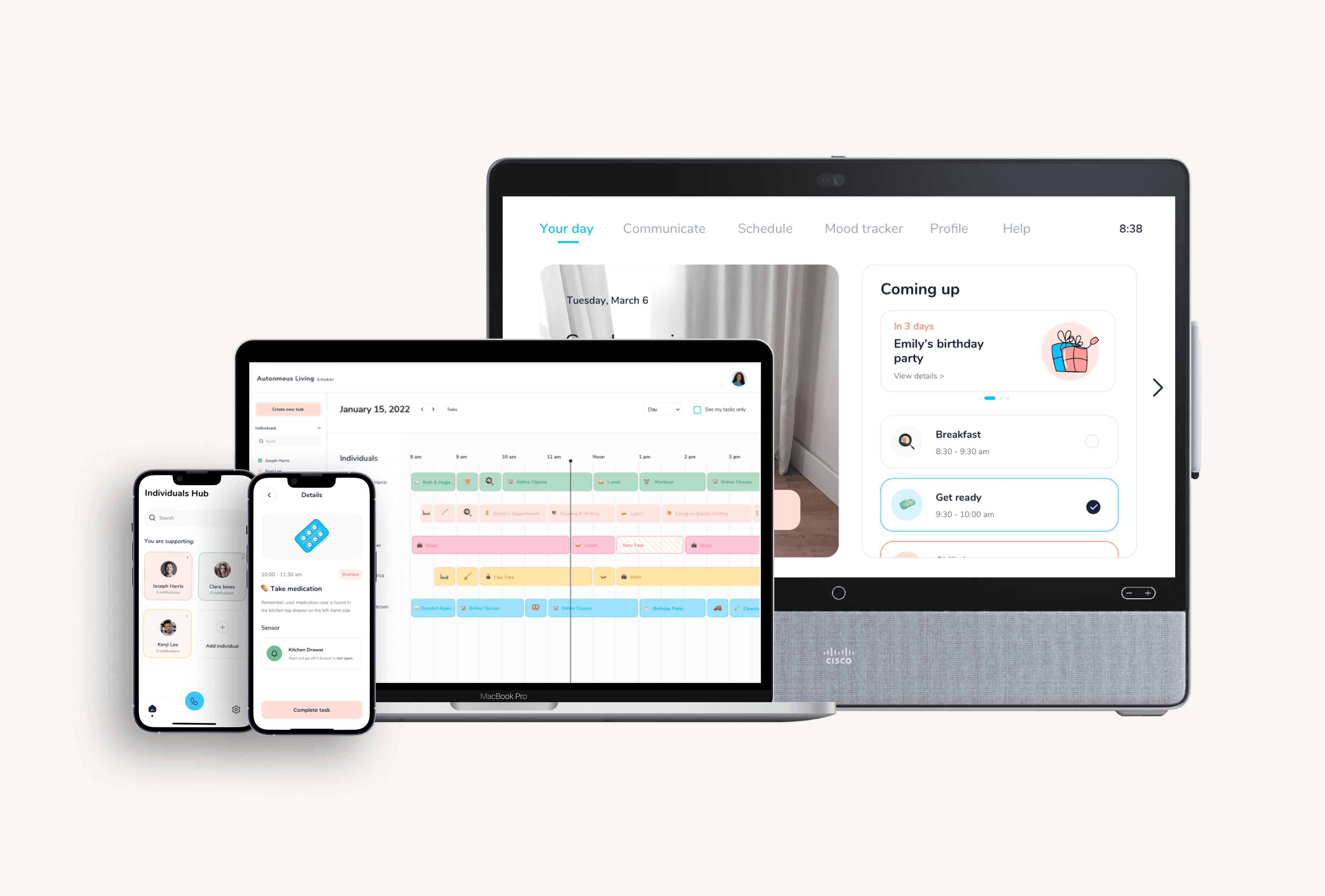
Utilizing an IoT network of devices, the Autonomous Living platform consists of four applications:
• Mobile app for individuals with developmental disabilities
• Webex DeskPro app for individuals with developmental disabilities
• Mobile app for caregivers and family members
• Web portal for caregivers
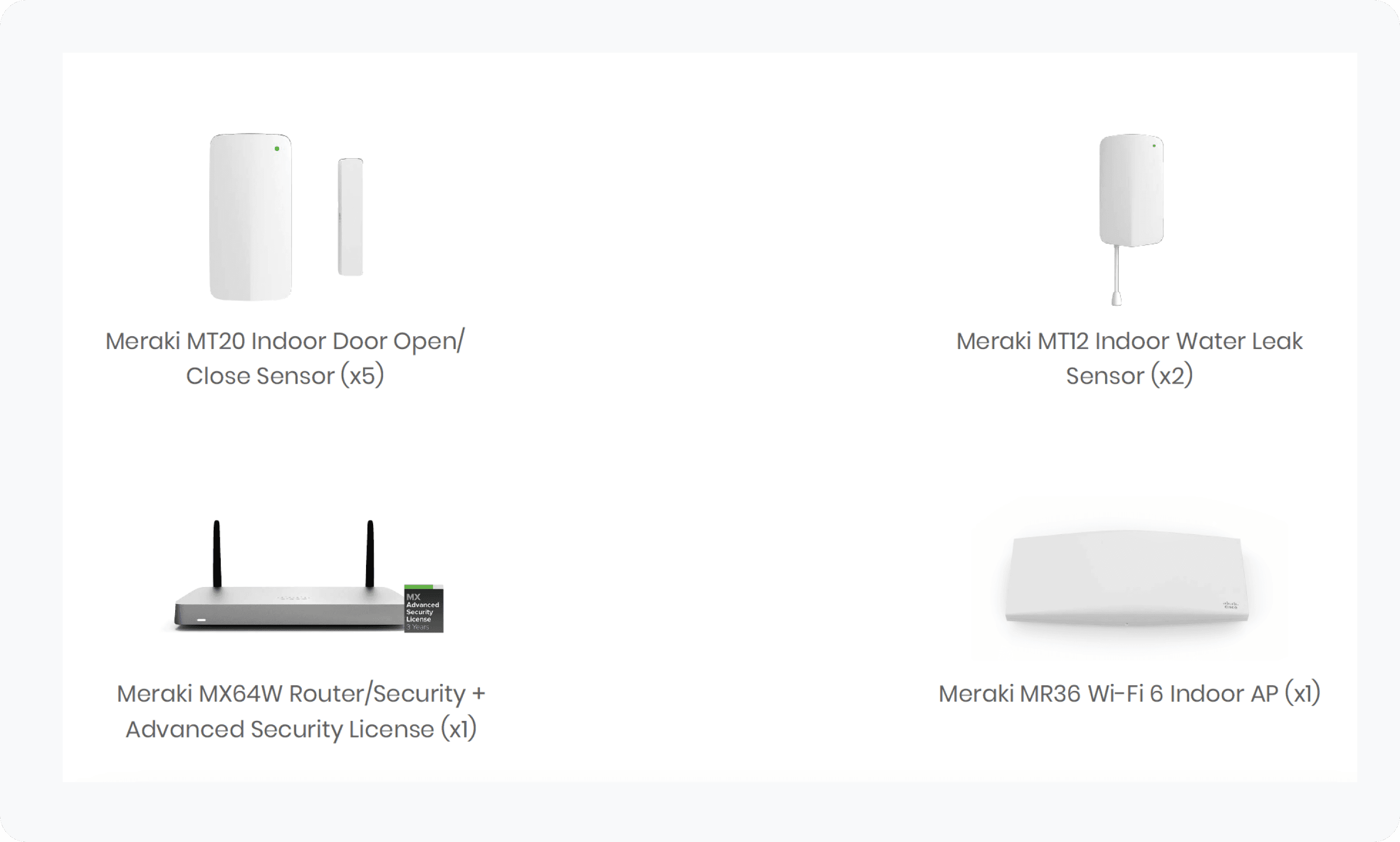
In addition to these applications, Meraki sensors will be built into residential units to alert users, family members or caregivers (i.e. when doors open or close, or water is left running, and when there are fluctuations in temperature/humidity or movement in the space to support overnight care.
This project has the potential to positively impact more than 300,000 adults in Ontario living with some level of intellectual disability, along with their families, caregivers, and communities. With a focus on providing adaptive, personalized, and user-centric tools that empower users to gain more autonomy, the ALP further supports caregivers and families in a way that suits them best, creating an inclusive future for all.
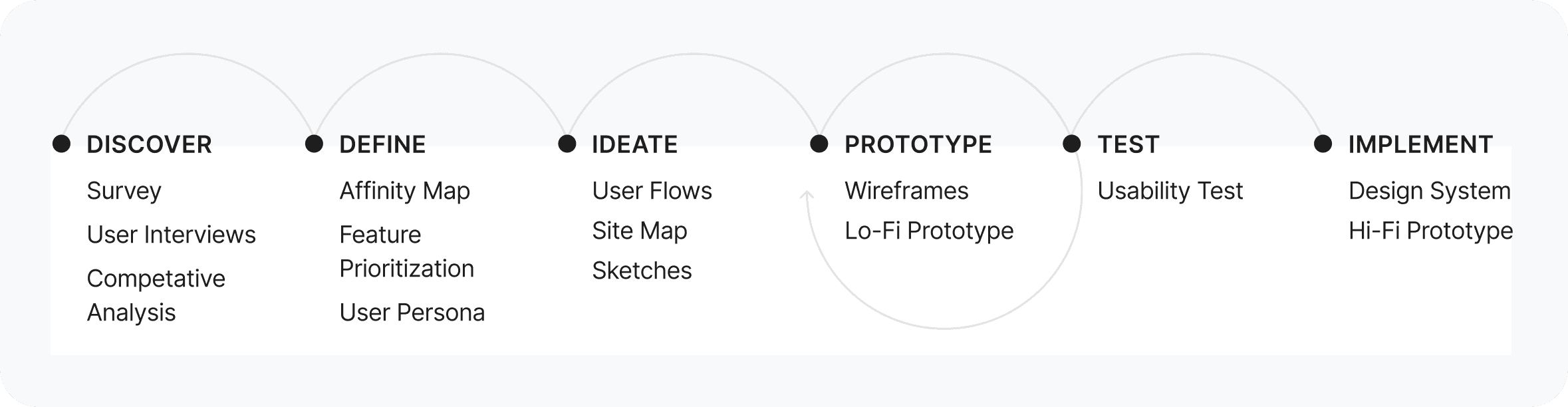
Process
Discovery
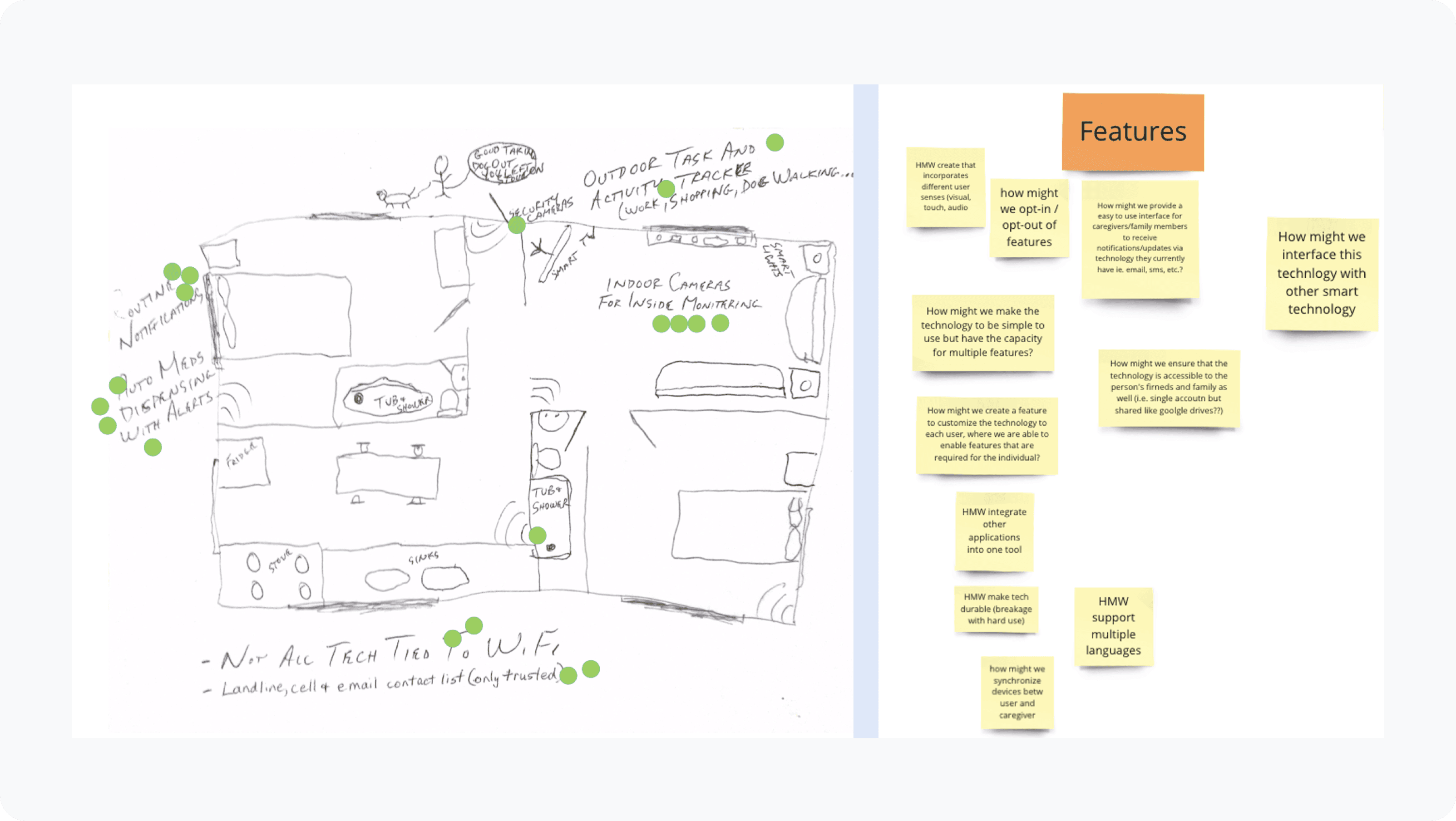
Cisco Toronto Innovation Labs conducted a virtual design sprint to identify ways to improve the life of adults with disabilities living independently using smart assistive tech.
• Sprint goal: Usable, adaptable and financially accessible technology to help support people in their homes and community
• Insight: A lot of disparate solutions exist that cater to a subset of an individual’s needs. Synergies among existing tech and data is untapped and wasted.
• Market gap: A trusted, controlled and manageable smart infrastructure that is applicable to specialized use cases is not available from any of the larger solution providers
• Cisco advantage: Have devices, management capabilities, trust and ability to execute a holistic strategy to provide a platform to build a solution for this use case
Goals
Desk Research
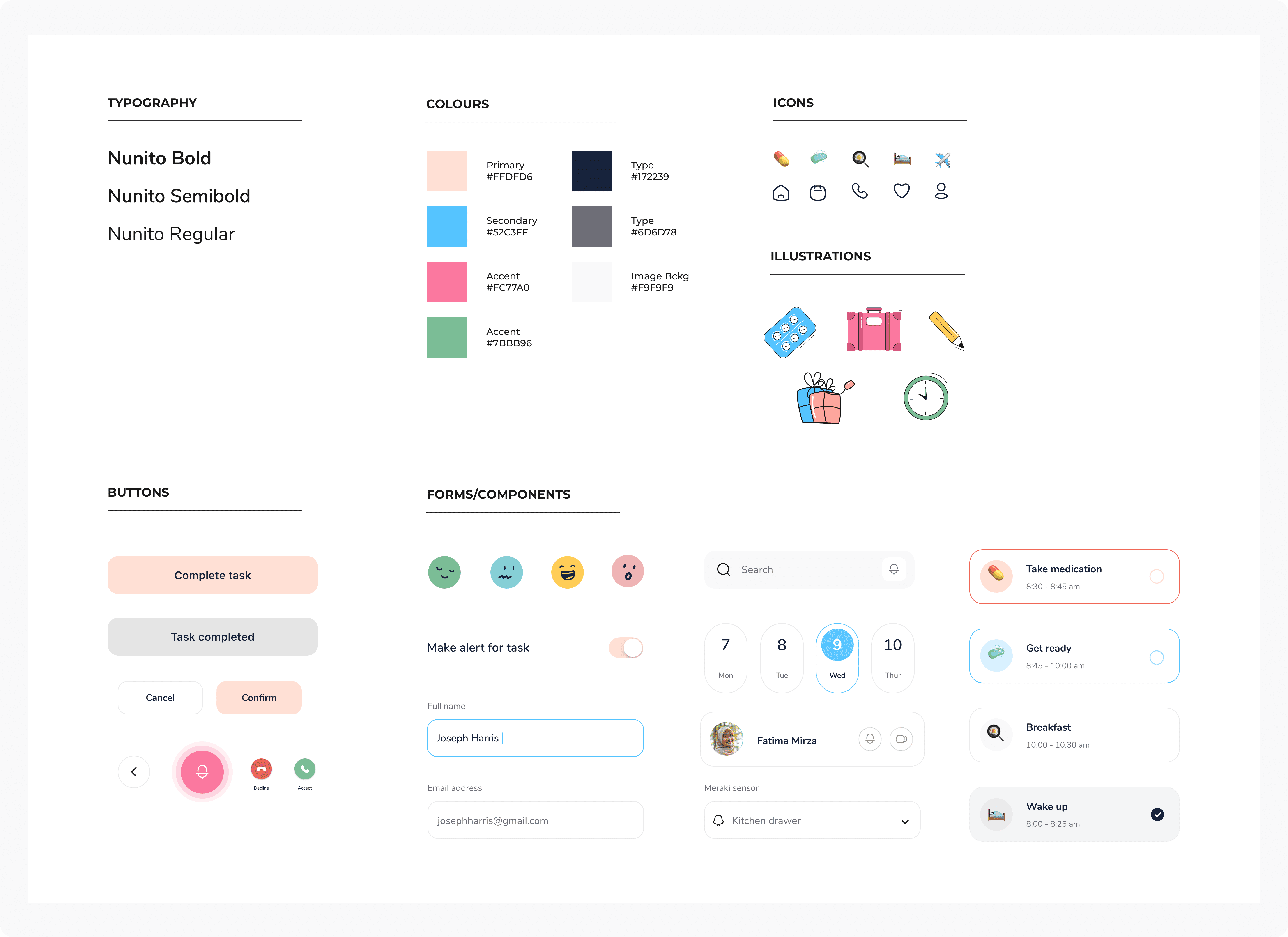
I conducted research on the existing applications, as well as the needs and common issues of technology and users. I found a wealth of resources that laid out best UI practices for neurodiverse users, which included how to appeal to dyslexia and sensory sensitivities (contrast levels, animations, and other visual cues).
Full intensity colours, such as red and yellow, are very simulating and are best to avoid. Soft, pastel colours (i.e. blues, greens, pinks, oranges) can be very comforting.
Serif fonts (tails and ticks on the end of strokes that obscure the shapes of letters) have been found less readable for a neurodiverse audience. Neurodiverse readers fare better with sans-serif fonts (simple, clean lines that are the same width throughout). Also increasing the line and character spacing can make reading and scanning text easier.
Visual supports help bring in the structure, routine and sequence that most neurodivergent individuals require to carry on their daily activities.
More whitespace/real estate for content and making the buttons/icons bigger for easier tapping
Customization is key. The ALP applications should consider the specific needs for each individual, for example, routines, details on tasks, alerts, reminders, etc. The application should have a high level of customization to better address each individual specific needs.
Interviews
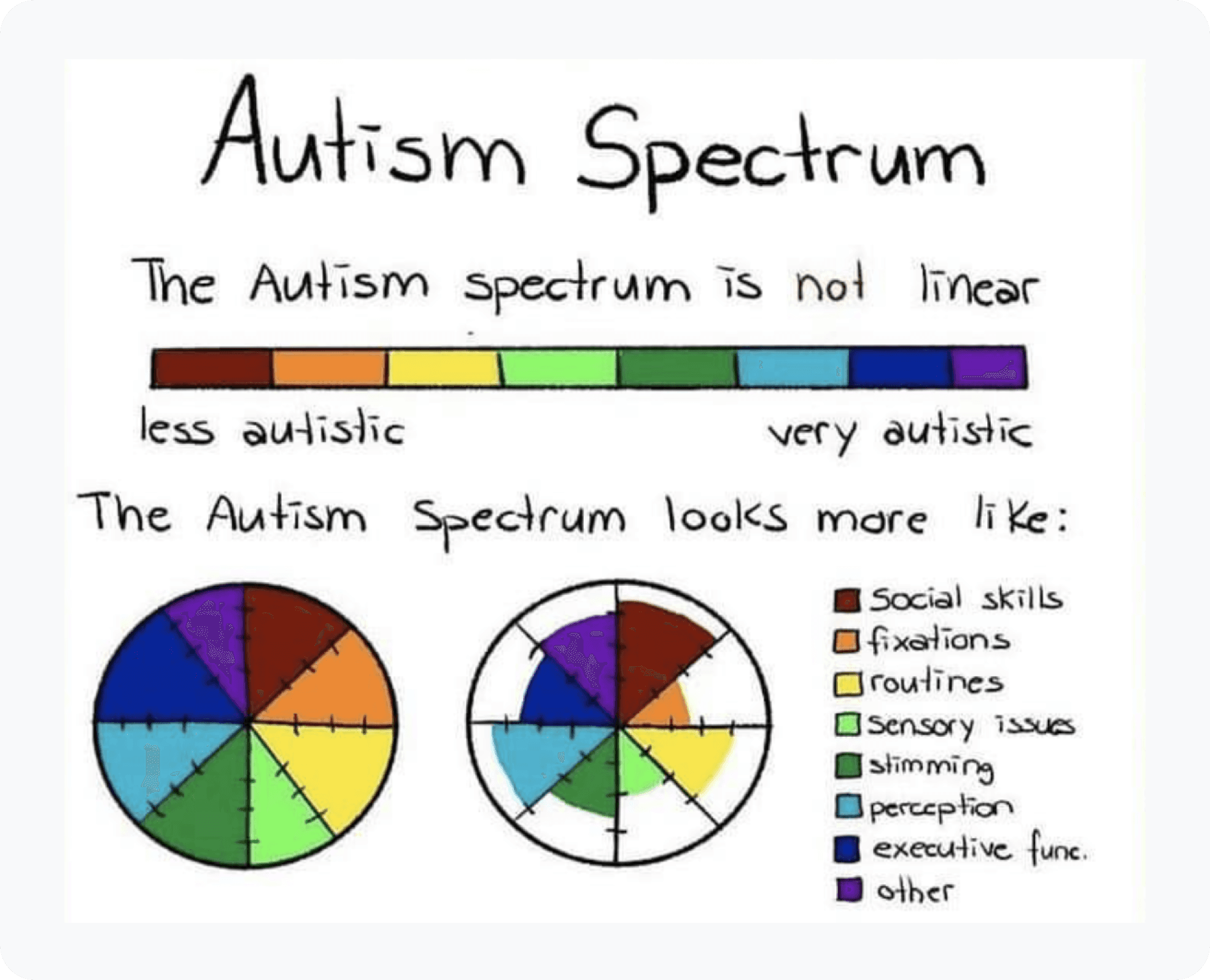
Careful observation and empathetic conversations with individuals and groups are key to understanding how alerts work for and against them. Our interview questions focused on the individuals’ relationship to autism, how they navigate productivity, and how they use technology to accomplish their goals as a caretaker/educator. The team received great feedback and first-hand stories of struggles and success when dealing with technology and autism. We were fortunate to have a strong connection to the local autism community, and were able to conduct 30 min - 1 hour interviews with:
• 3 individuals with developmental disabilities (mid-high functioning Autism)
• 6 parents
• 5 caregivers (social service coordinator, behaviour analyst, clinical manager, future housing coordinator, program/staff supervisor)
User Stories
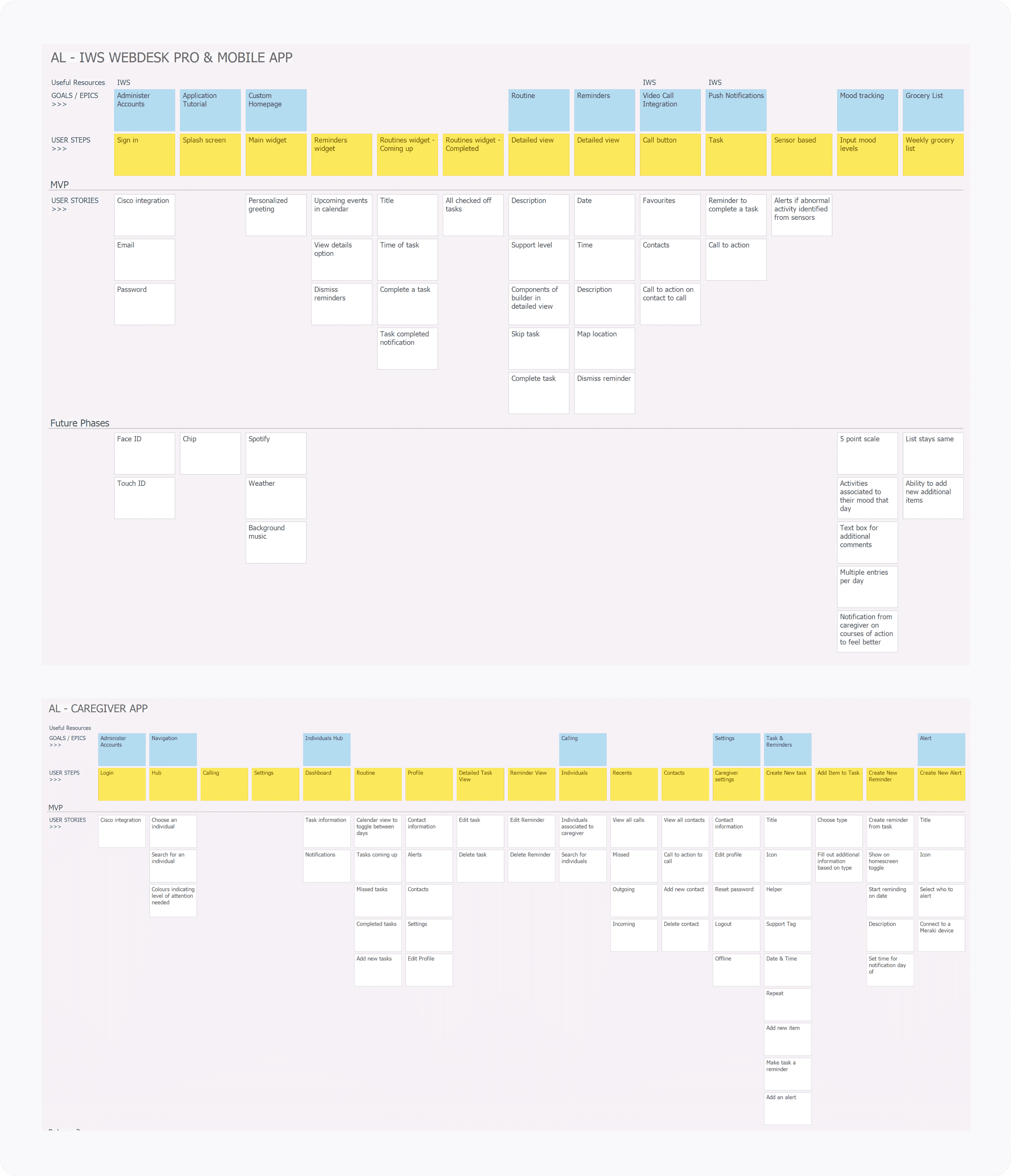
To help the team visualize and identify the different elements of the process for individual and caregiver apps respectively, and the interrelationships among the various steps, we used the diagram flow as a graphical representation of the ecosystem.
Style Guide
Mobile App Features
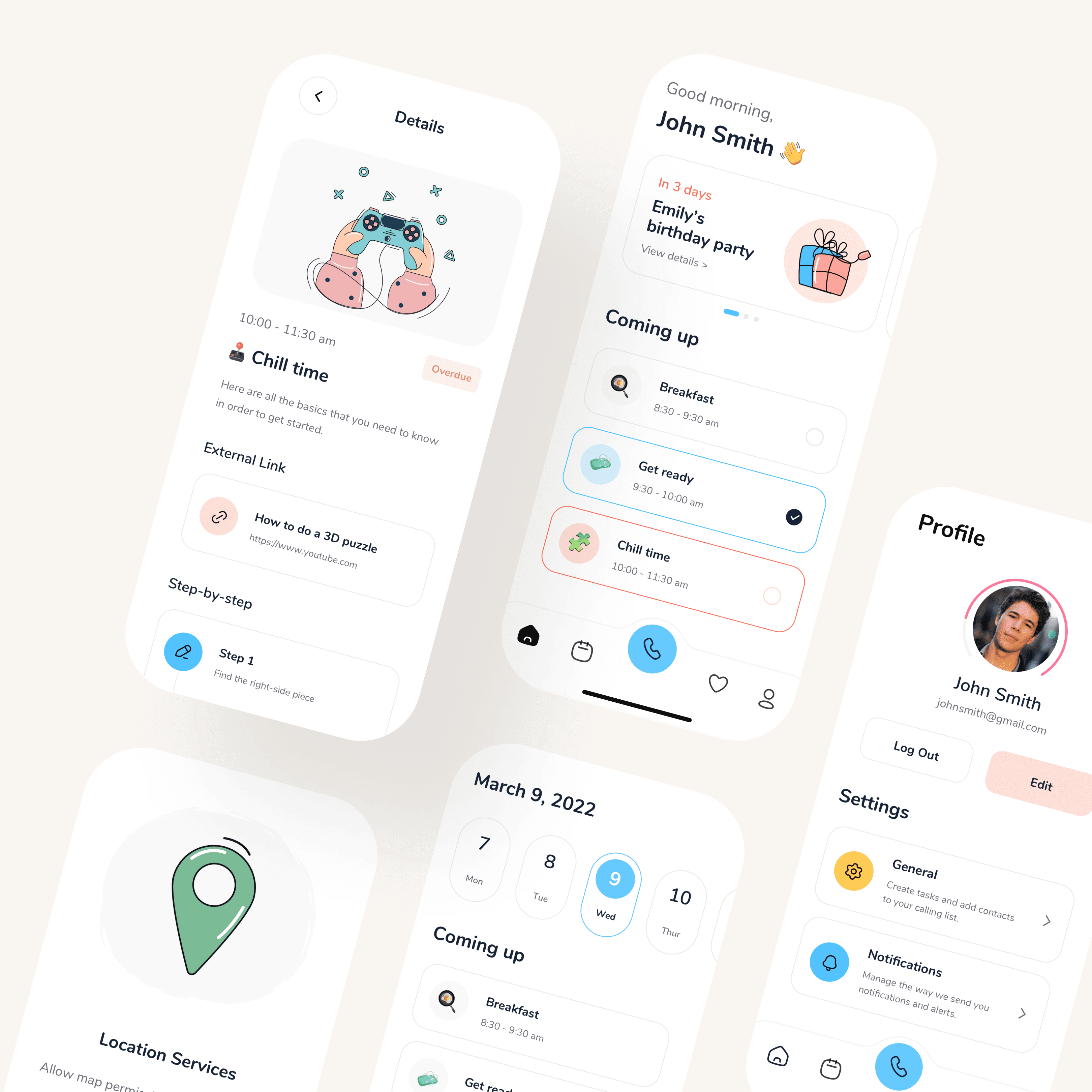
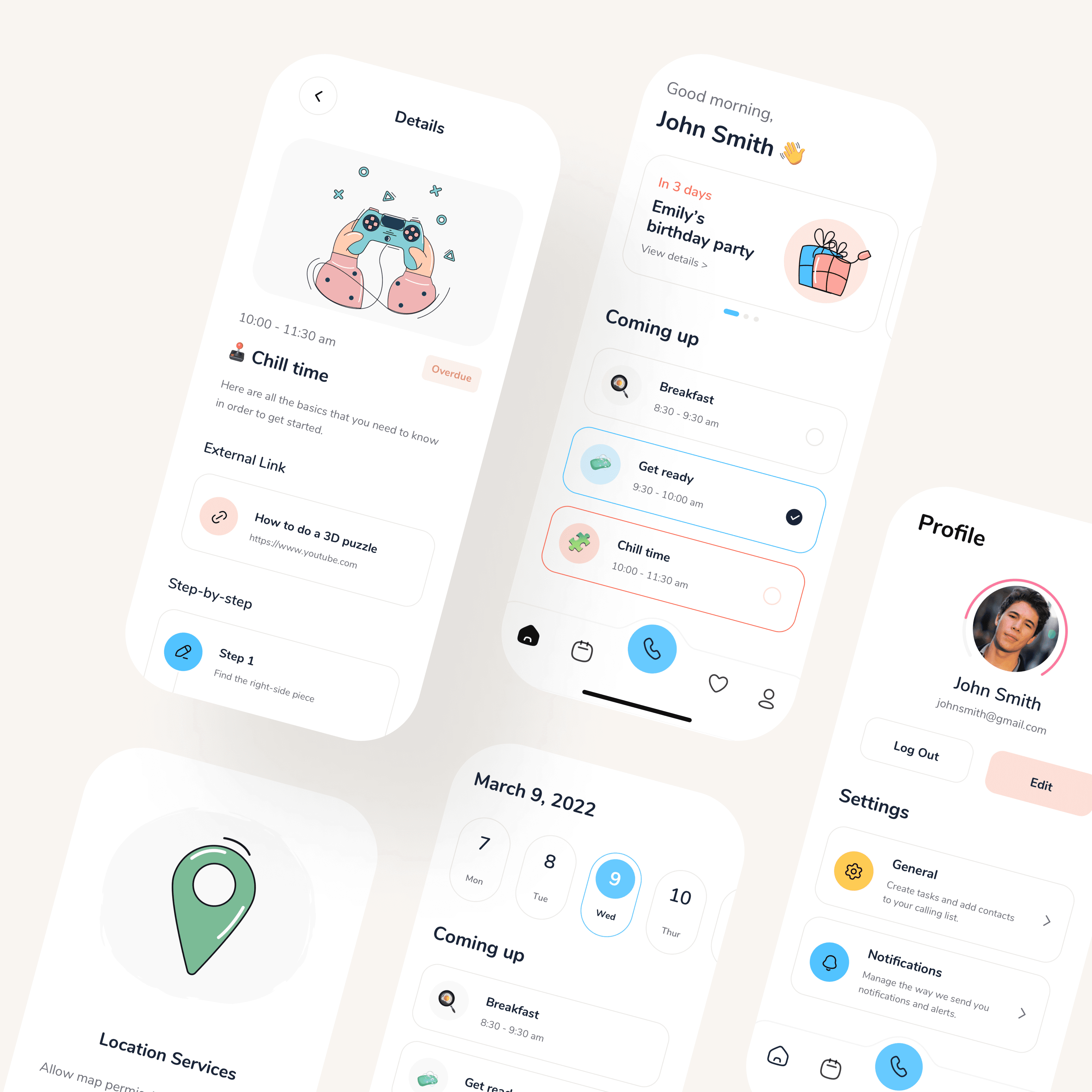
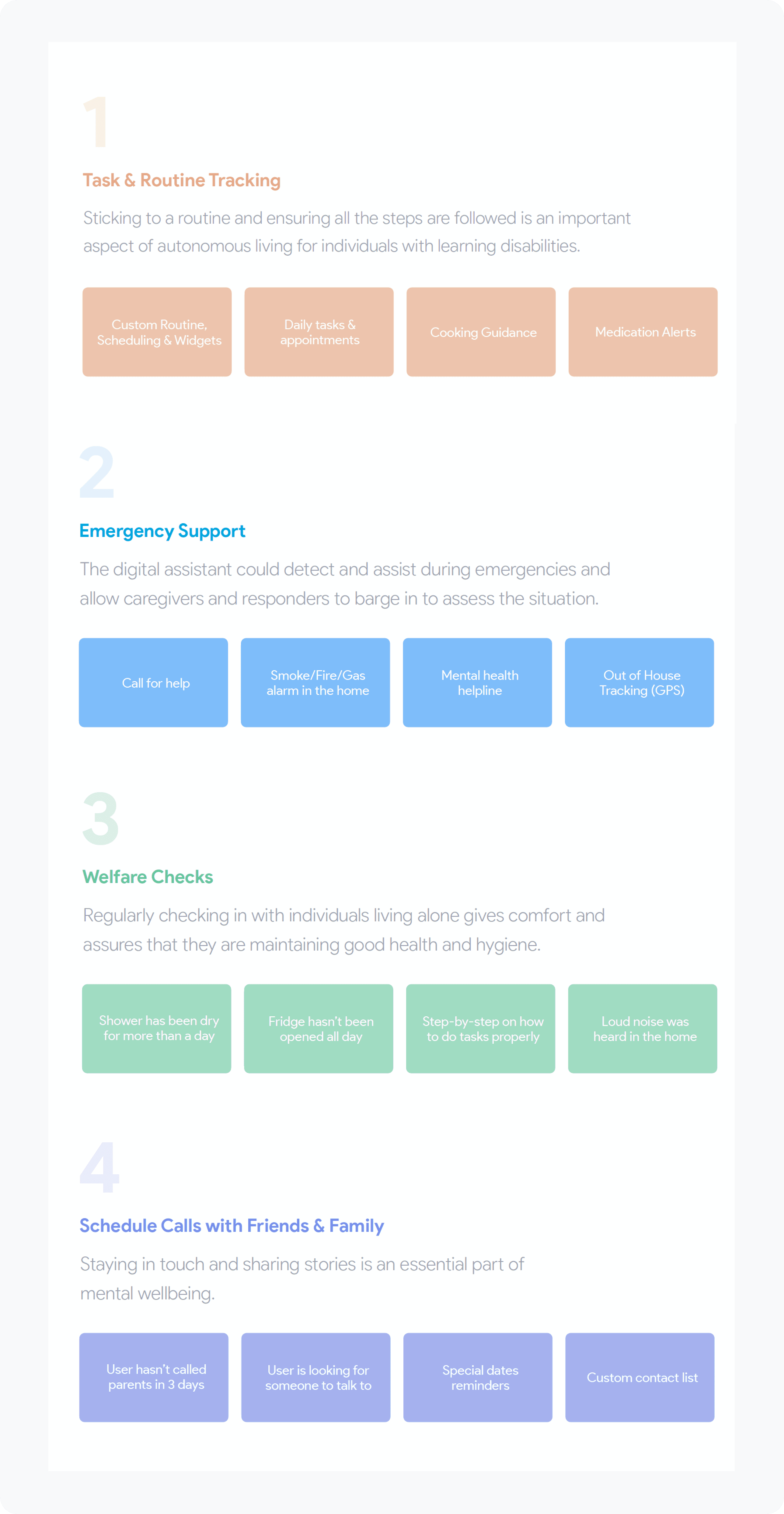
The Mobile App provides individuals with developmental disabilities the ability to view and track their tasks and routines, access emergency support and welfare checks, and call friends and families using Webex technology, anywhere and anytime.
Home Screen
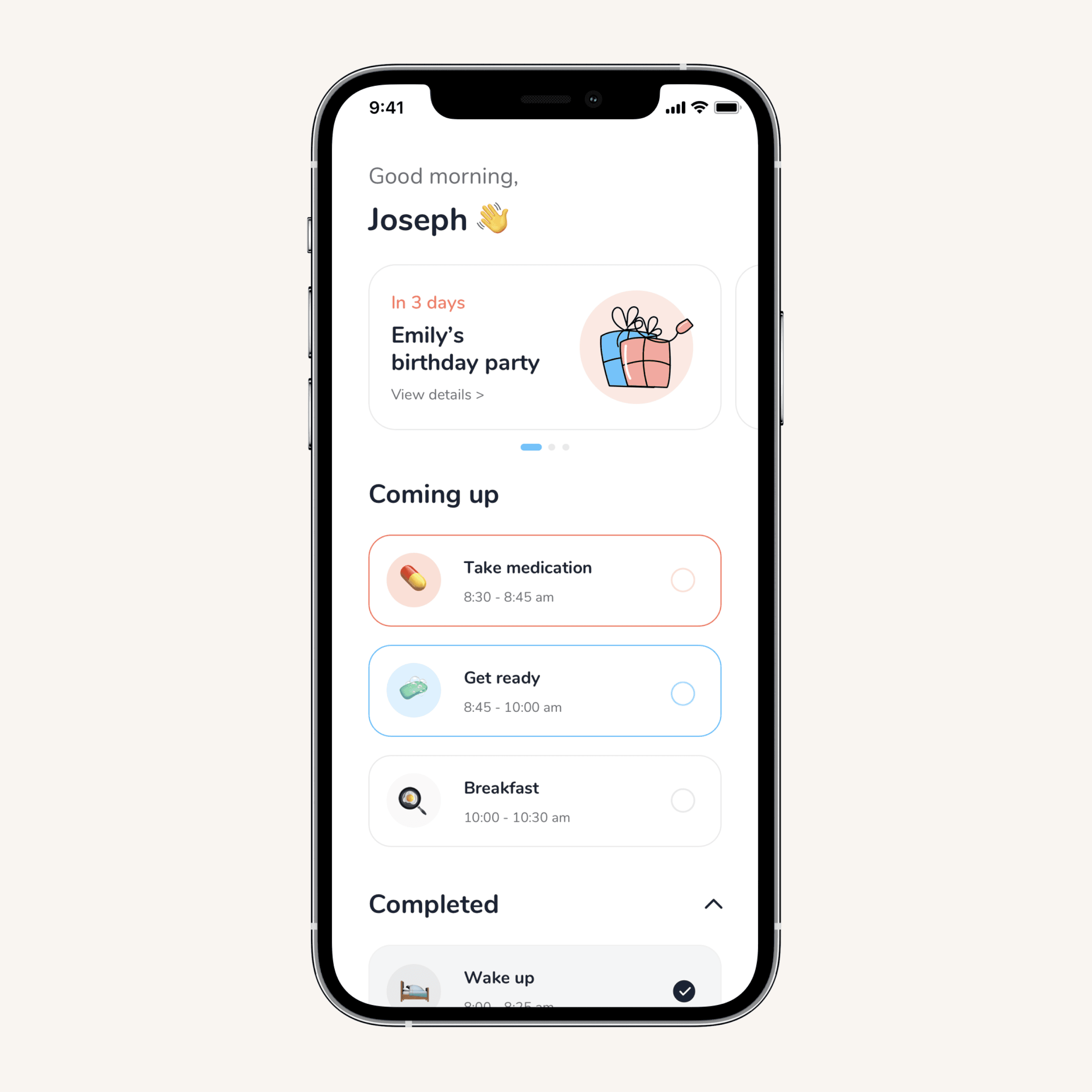
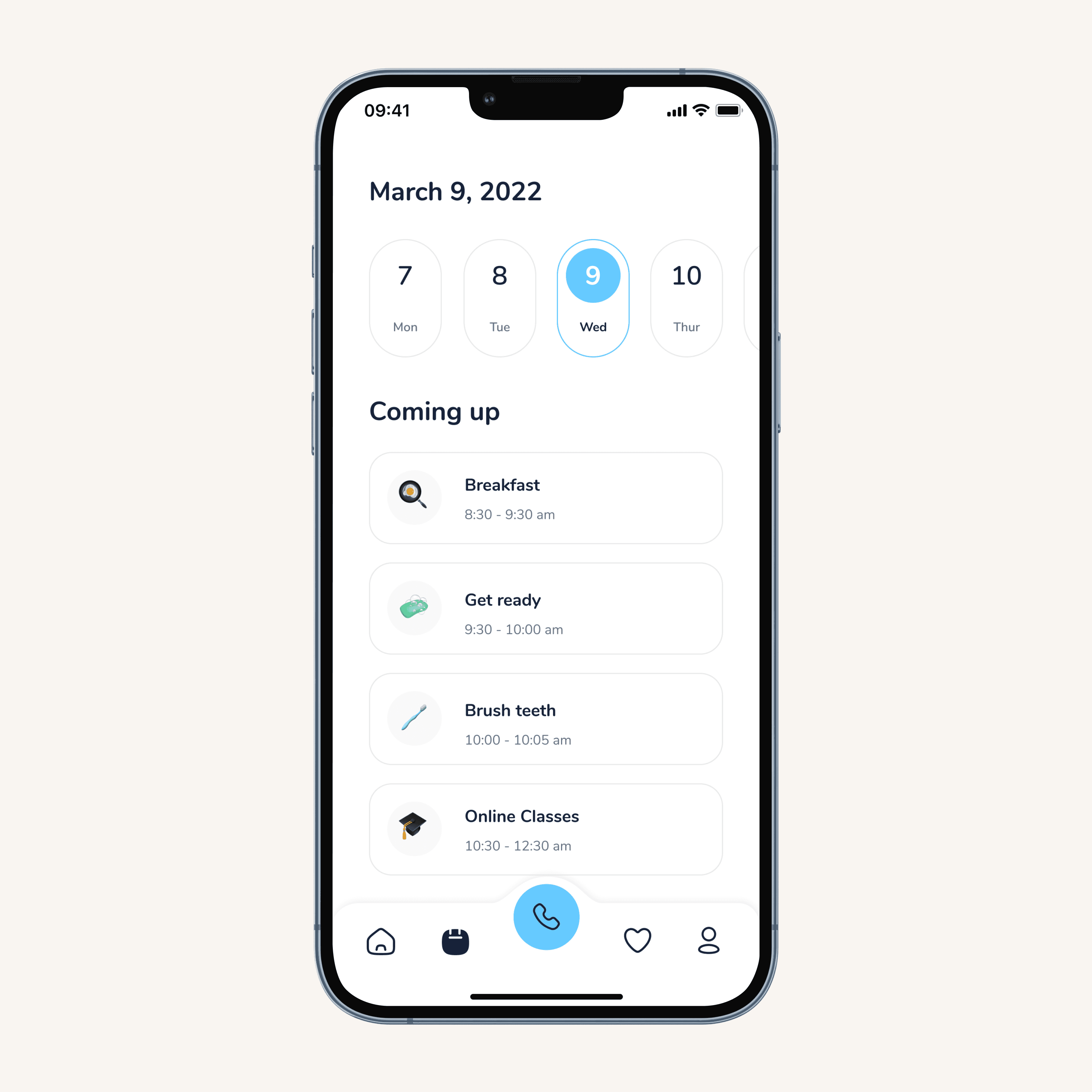
The home screen provides users quick and easy access to their daily routine and tasks (current, missed and completed), as well as any important event reminders. The goal was to provide a simple and clean aesthetic while providing easy-to-read and direct instructions. We also wanted to make it fun and enjoyable to increase user engagement and adoption.
Task Details
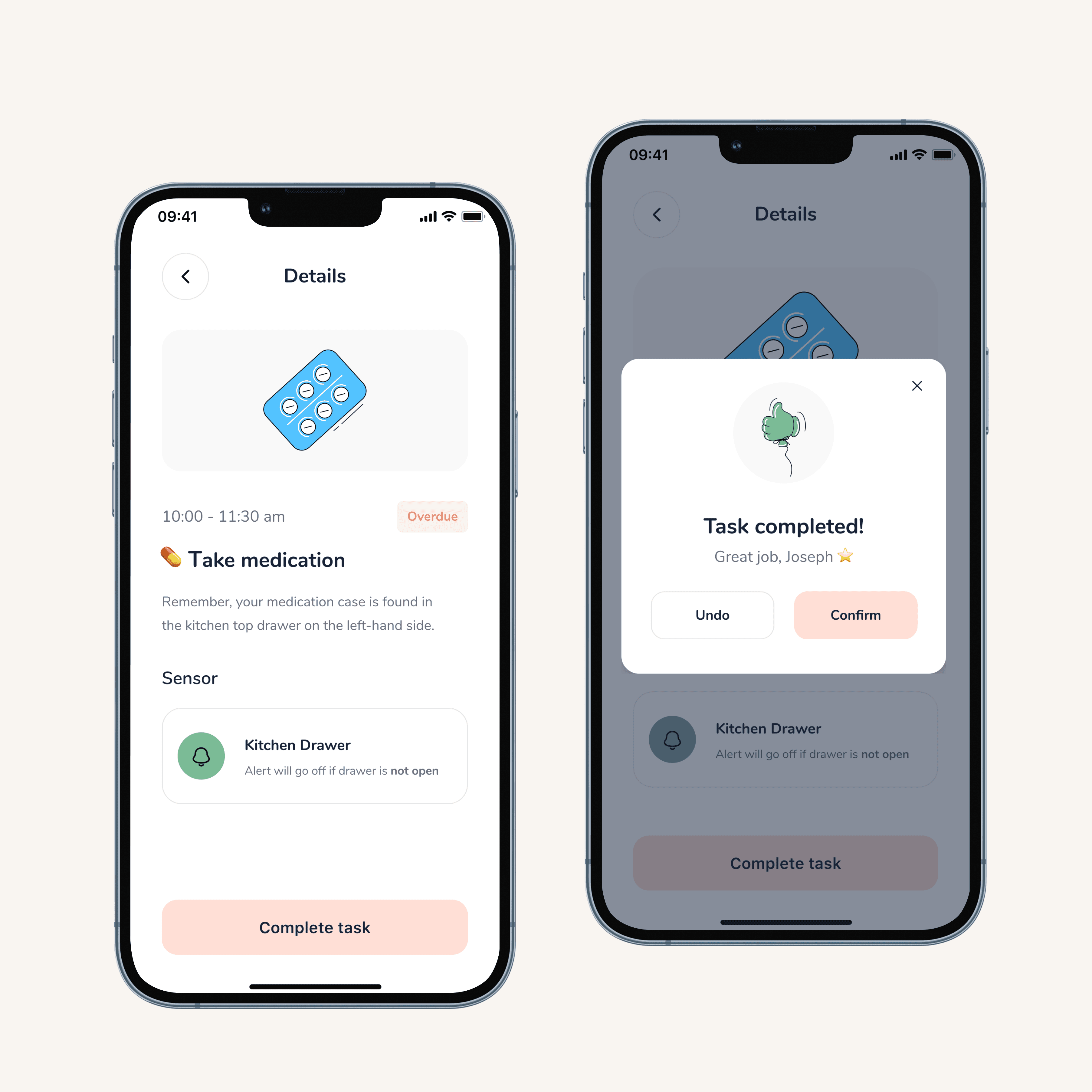
Tasks aren't one-size-fits-all, so neither are the detail views. Depending on the task, users get steps, maps, timers, videos, or image carousels - whatever format actually helps them execute it, not just read about it.
Routine & Reminders
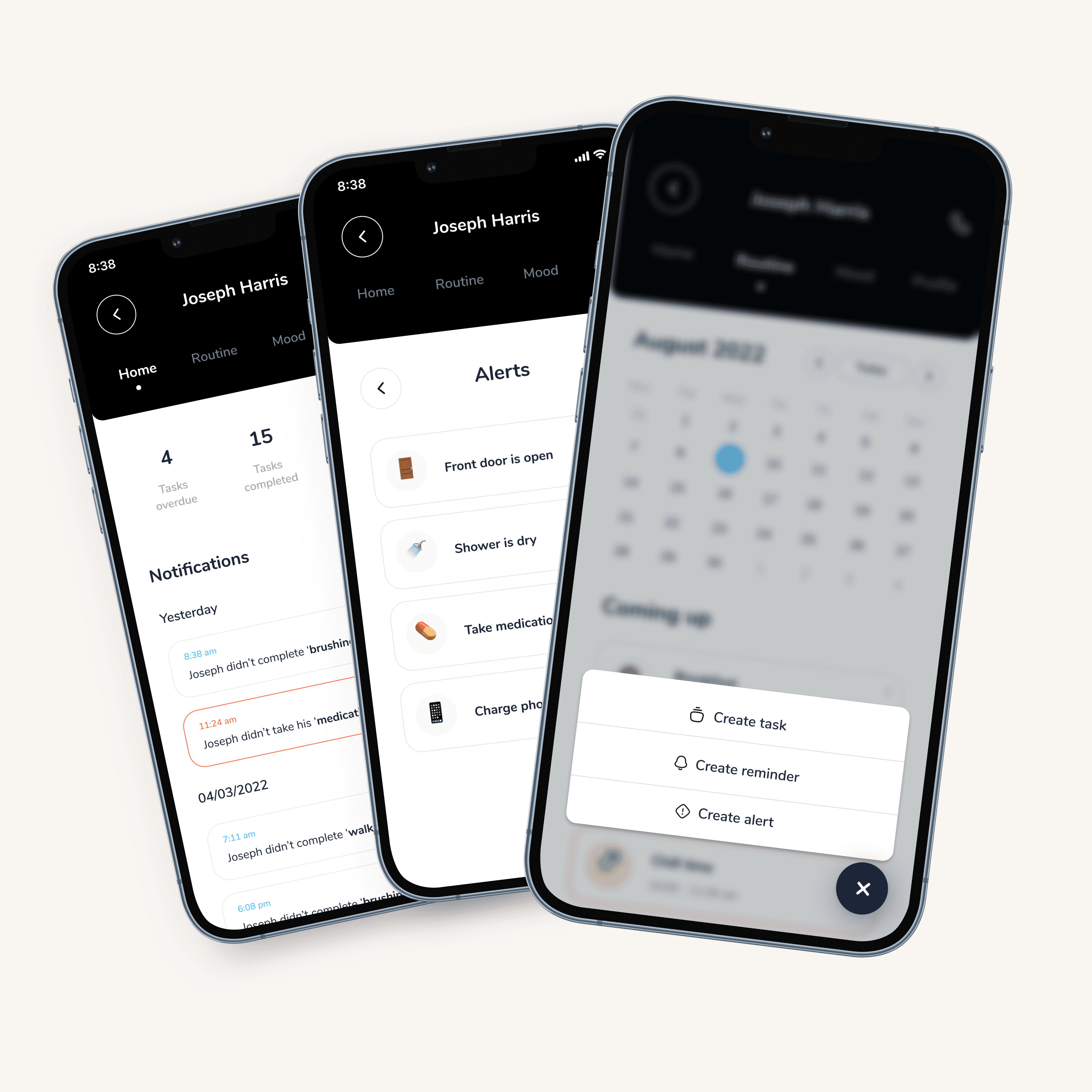
Predictability came up in almost every interview, knowing what's coming next is foundational. The schedule gives users visibility into their week ahead, while the trigger system works quietly in the background to make sure nothing slips through. Reminders aren't just time-based either, they're sensor-aware and combinable, so the app can catch the things users can't always catch themselves. For example, an alert if the user left the front door open, an automatic call to the caregiver if the smoke alarm goes off, or a notification if the user didn't take a shower based on the calendar event and water sensor data collection.
Contacts & Webex Calling
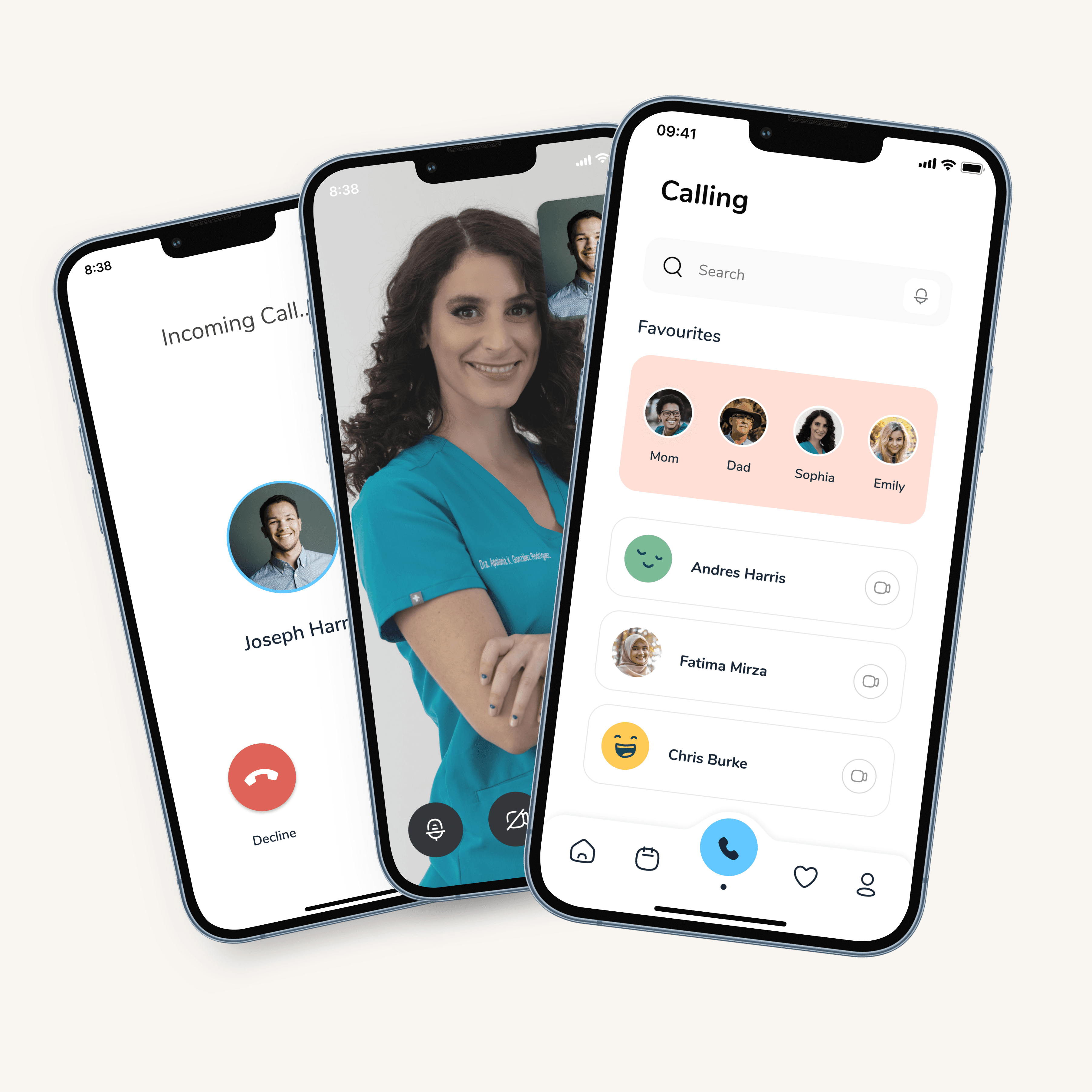
One-tap video calling to trusted contacts and emergency support. We stripped out every unnecessary step (no setup, no ambiguity). Buttons always show both an icon and a label because we learned early on that icon-only UI was a consistent point of failure for this audience.
Mood Tracker
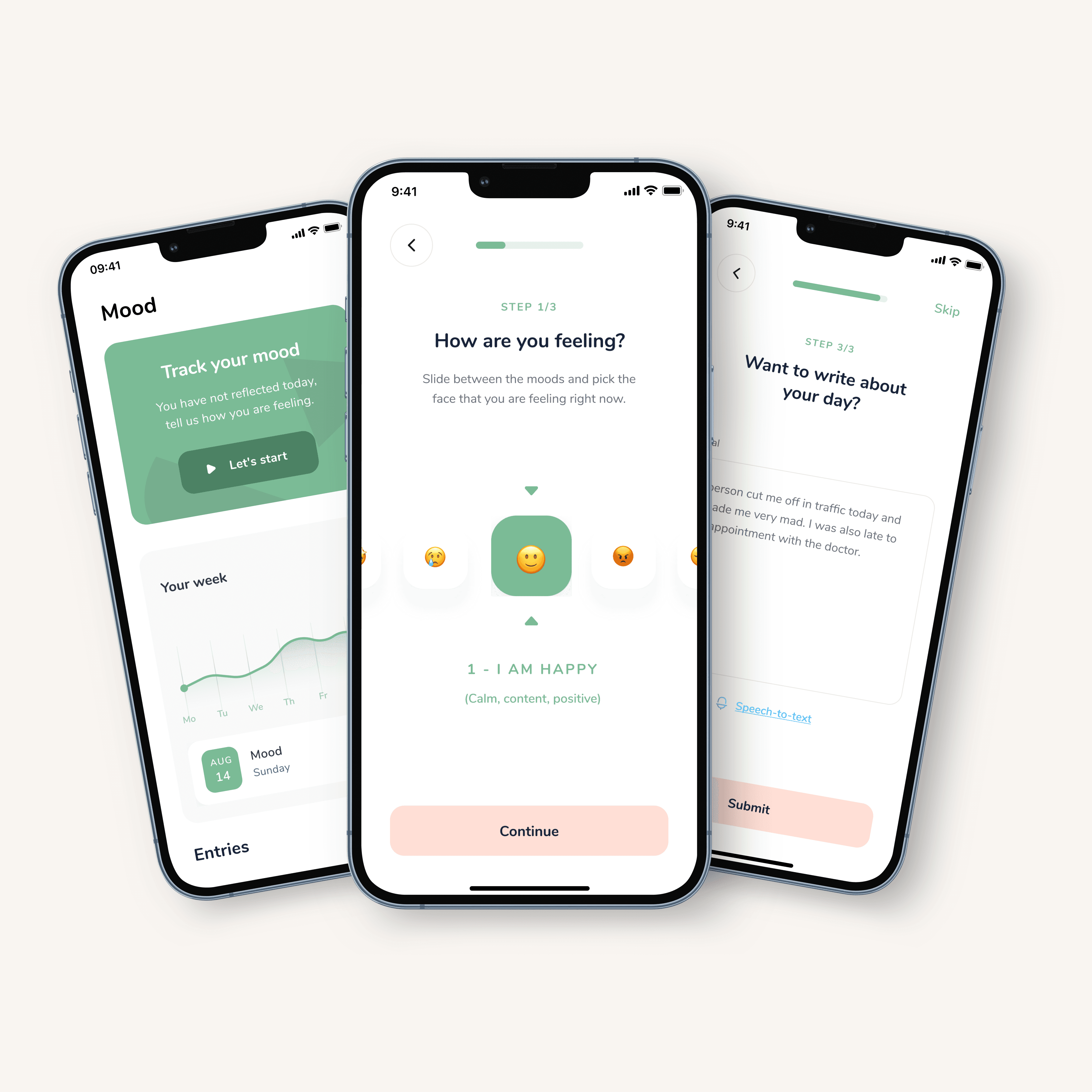
A 5-point scale with optional context, broad enough to capture nuance, simple enough not to overwhelm. We chose this over more complex tracking methods after testing showed anything beyond 5 options caused hesitation and drop-off.
Caregiver App Features
A Mobile App to provide caregivers and family members with the ability to manage individuals with developmental disabilities's routines, tasks, reminders and alerts.
Individual's Hub
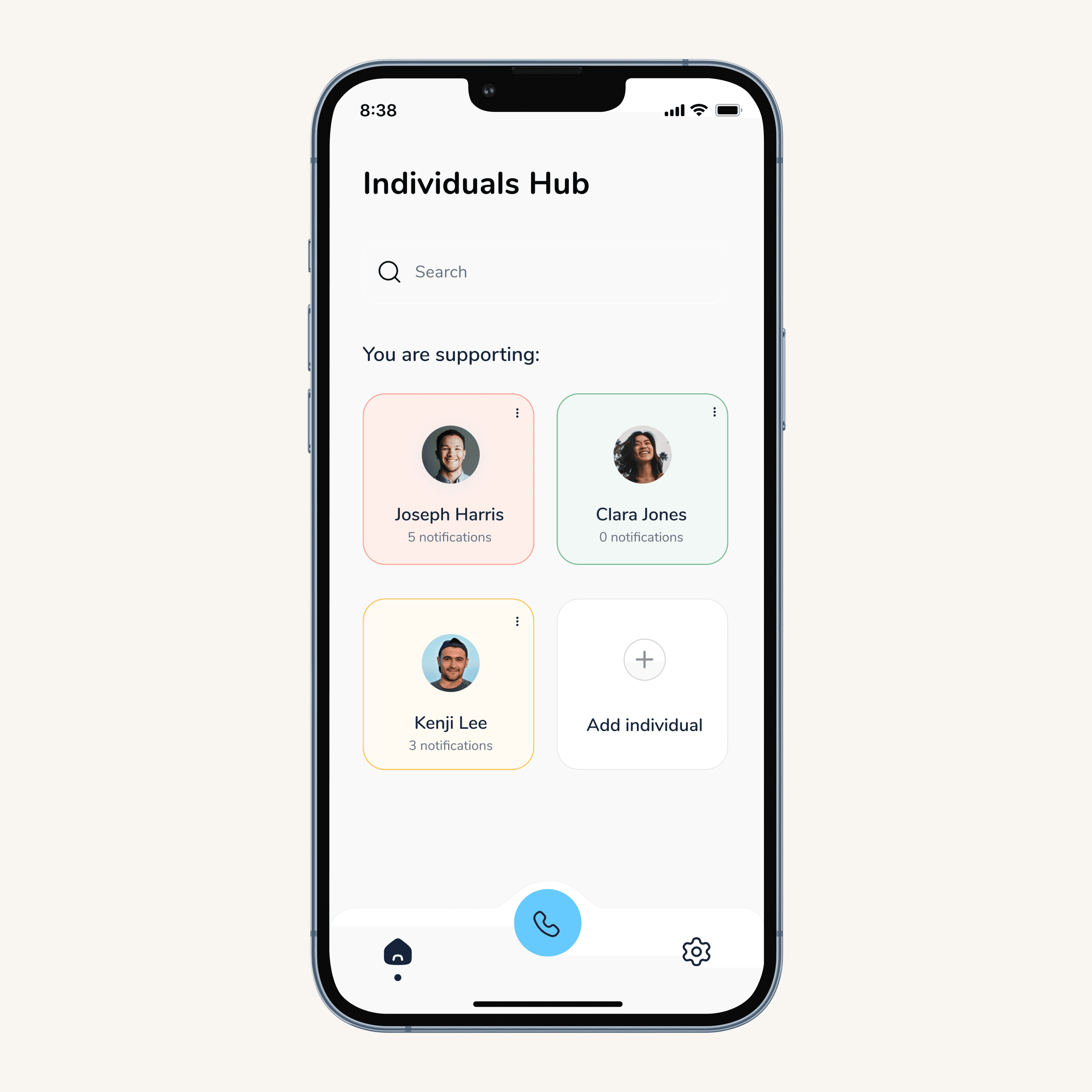
A card-based dashboard using a traffic light system (green, orange, red). We tested several monitoring patterns before landing here. Caregivers told us they needed to triage across multiple individuals fast, and colour-coded status made that possible without reading a single word.
Dashboard & Routine
Real-time task performance at a glance, with the ability to navigate past and future days. The key design decision was keeping individual and caregiver views in sync. So, what the individual sees on their end matches exactly what the caregiver monitors on theirs.
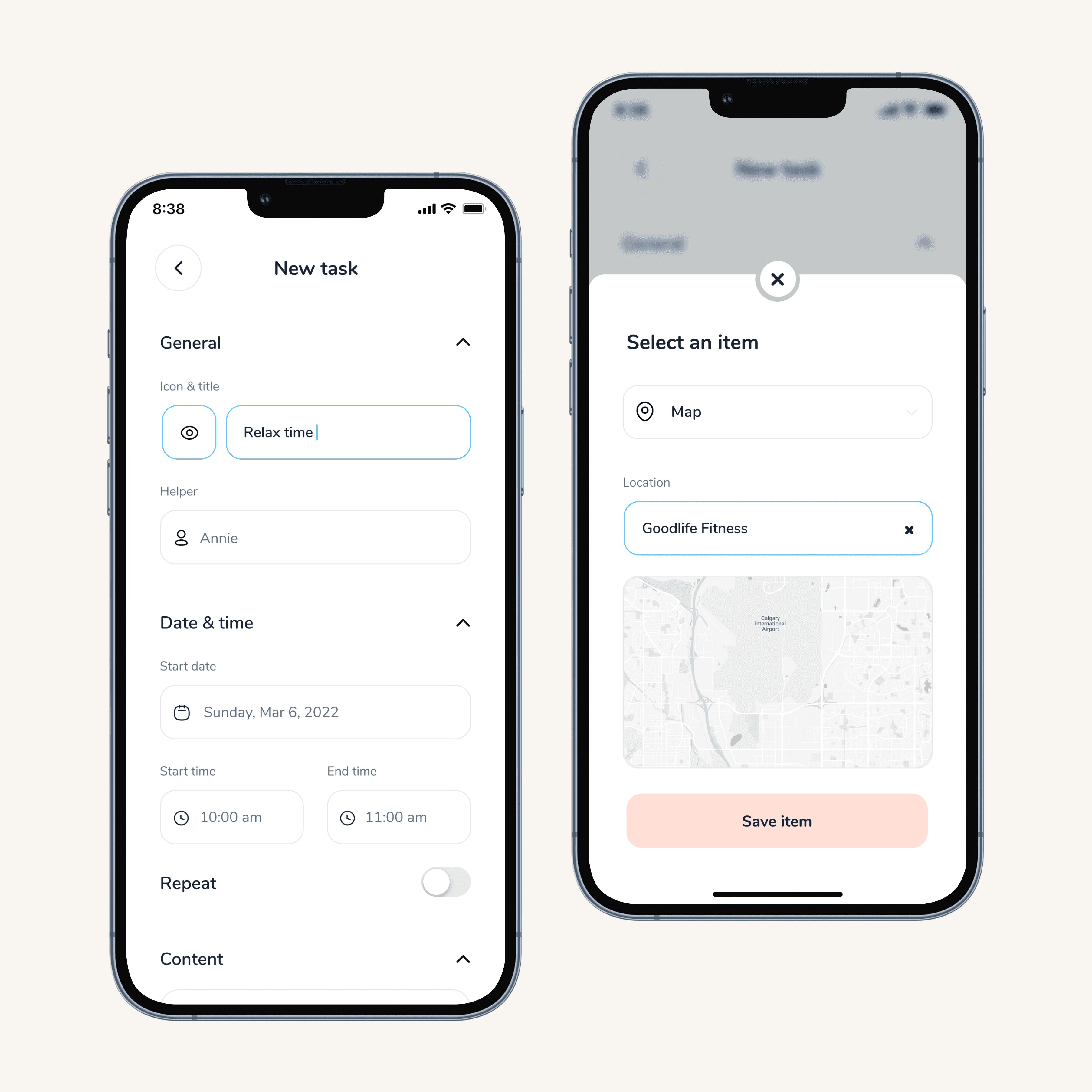
Creating Tasks (forms)
The most complex screen in the app, and the one we iterated on the most. Caregivers create highly customized tasks, so the form needed to be powerful without feeling overwhelming.
Contacts & Calling
Mirrors the individual app's calling experience so both sides of a conversation feel consistent. Recent calls are surfaced first based on caregiver feedback that they're almost always calling the same small group of people.
Web Scheduler
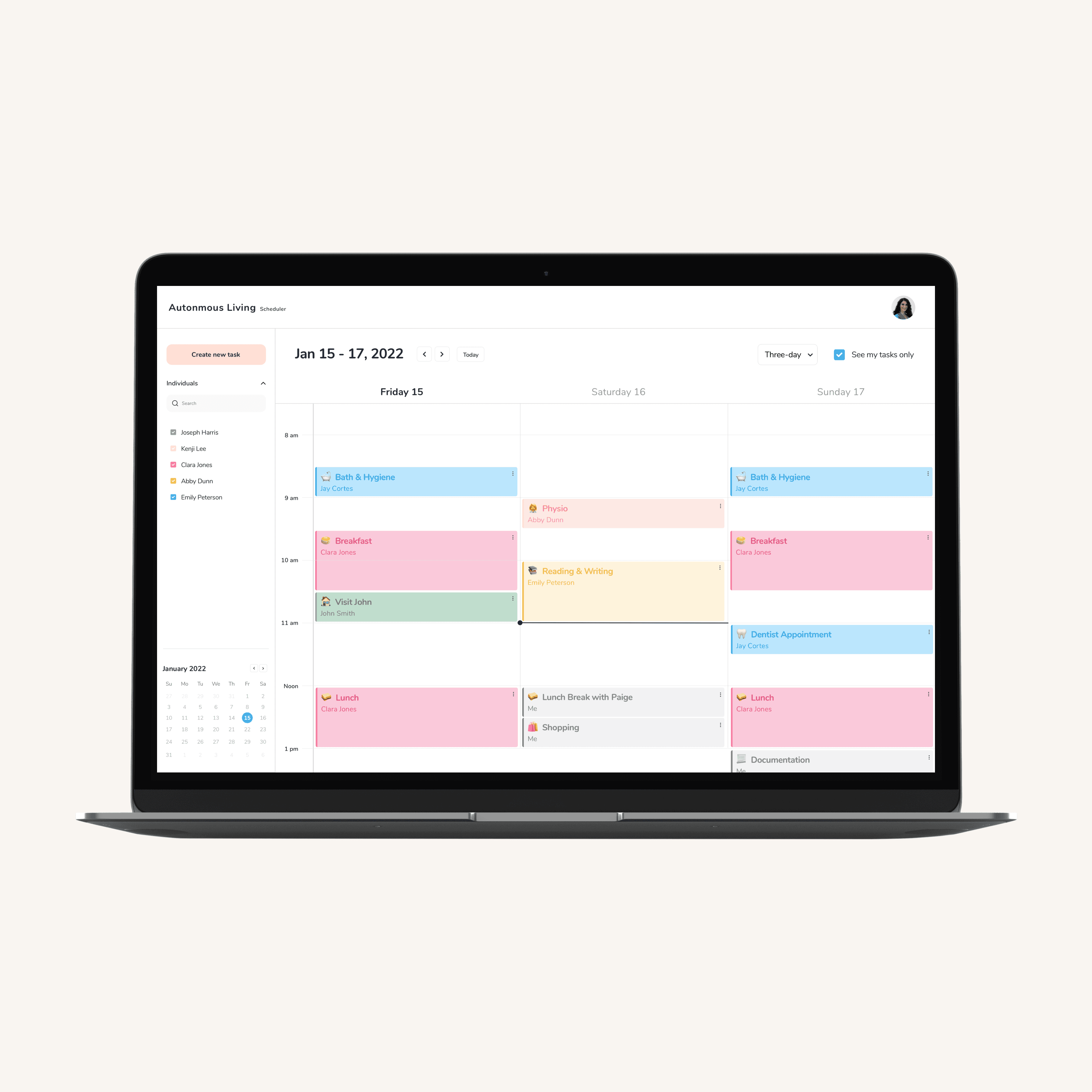
The goal is to increase the application usability when the user needs to create complex tasks by giving them the option to use a laptop device. The scheduler contains a day view (where the user can see all the routines of the individuals they support), and a three-day view (where they can see upcoming tasks).
Accessibility
With the goal of providing different levels of opportunities and support for each person in order to achieve fair outcomes, the mobile app will leverage native accessibility features available on both iOS and Android operating systems.
For future releases. we would like to have this list of accessibilities settings that are considered to help individuals with low vision, motor control issues, auditory-processing issues, expressive language disorder, nonverbal-communication issues, and attentional needs.
VoiceOver (iOS) and TalkBack (Android) narrate the individual's commands, providing auditory feedback
Invert colours (iOS) improves screen clarity with higher contrast
Zoom (iOS) and Magnification Gestures (Android) magnify anything on the screen
Speak Selection (iOS) lets you change the rate of speech and highlights words
Captions (Android) offers closed captioning in different modes (speech, text, and style)
Predictive Text (iOS) helps users by letting the device finish the sentence
Future Goals
If this project continued, my first priority would be AI mood tracking — behavioural pattern recognition (i.e. Bobby might be cranky today) could give caregivers early warnings before a crisis, not just a record after one. Other directions we'd explore:
Speech-to-text
Customizable home screen widgets (weather, clock, Spotify, maps, events)
Task templates for caregivers
Sleep tracking with bed sensors
Data capture forms for caregivers
Expand sensors/smart devices (Siri, Google Home, Alexa)
Caregiver shifts
Deviations from routines
Biometric/movement wearables
Expand to Seniors (living on their own/with dementia)